


 (877) 897-1725


Table Of Contents
Table Of Contents
If you've opened Google Search Console recently and noticed a new tab sitting under Performance labeled "Generative AI features" with a small Beta badge next to it, you're not imagining things, and you're not alone. Google began rolling this report out to a small group of UK properties in June 2026, expanded it gradually through the summer, and as of August 31, 2026, confirmed it's now live for every website worldwide.
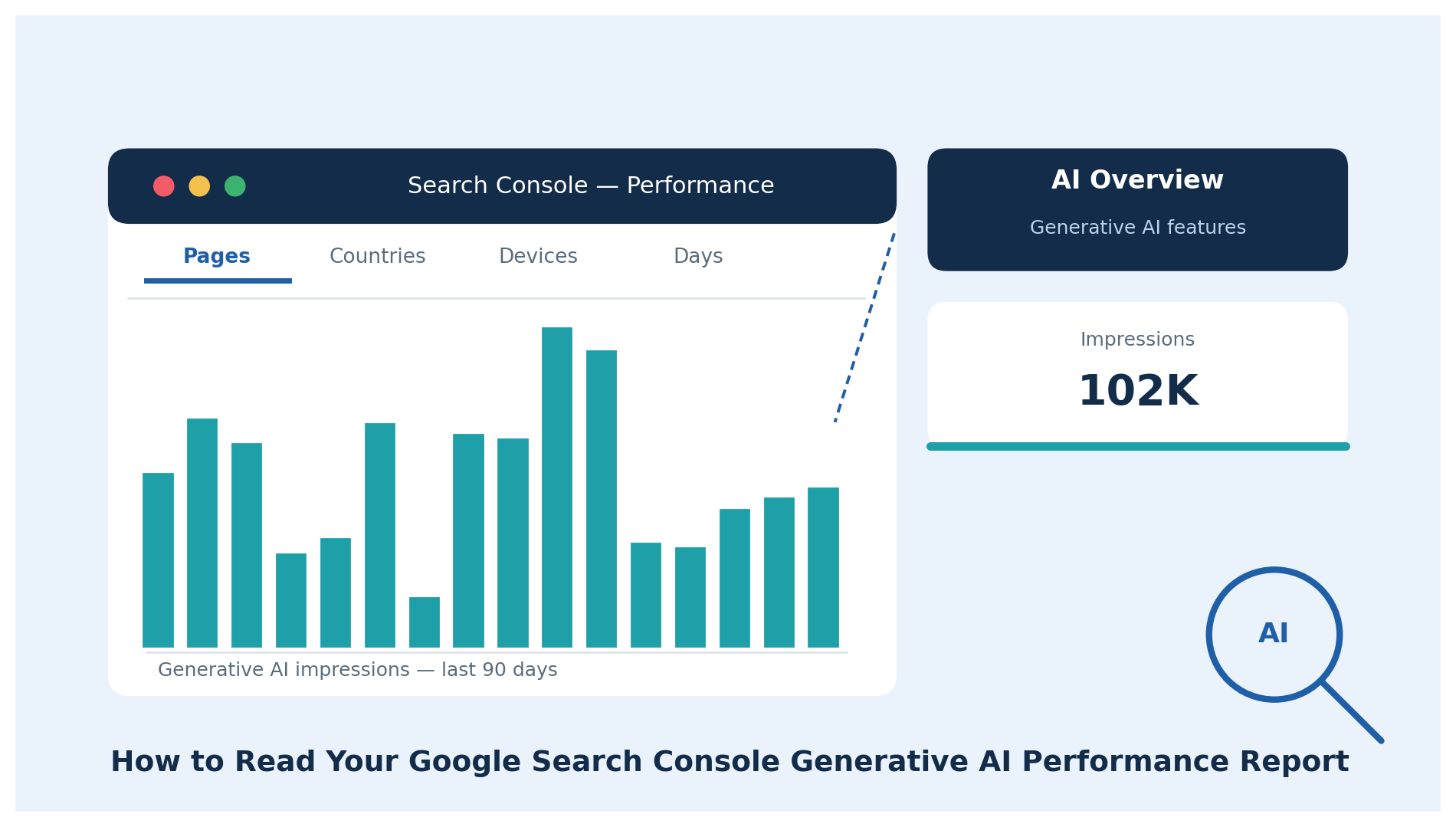
This guide walks through what the report actually shows, what it deliberately leaves out, and how to read the numbers without over- or under-reacting to them.
What Is the Generative AI Performance Report in Search Console?
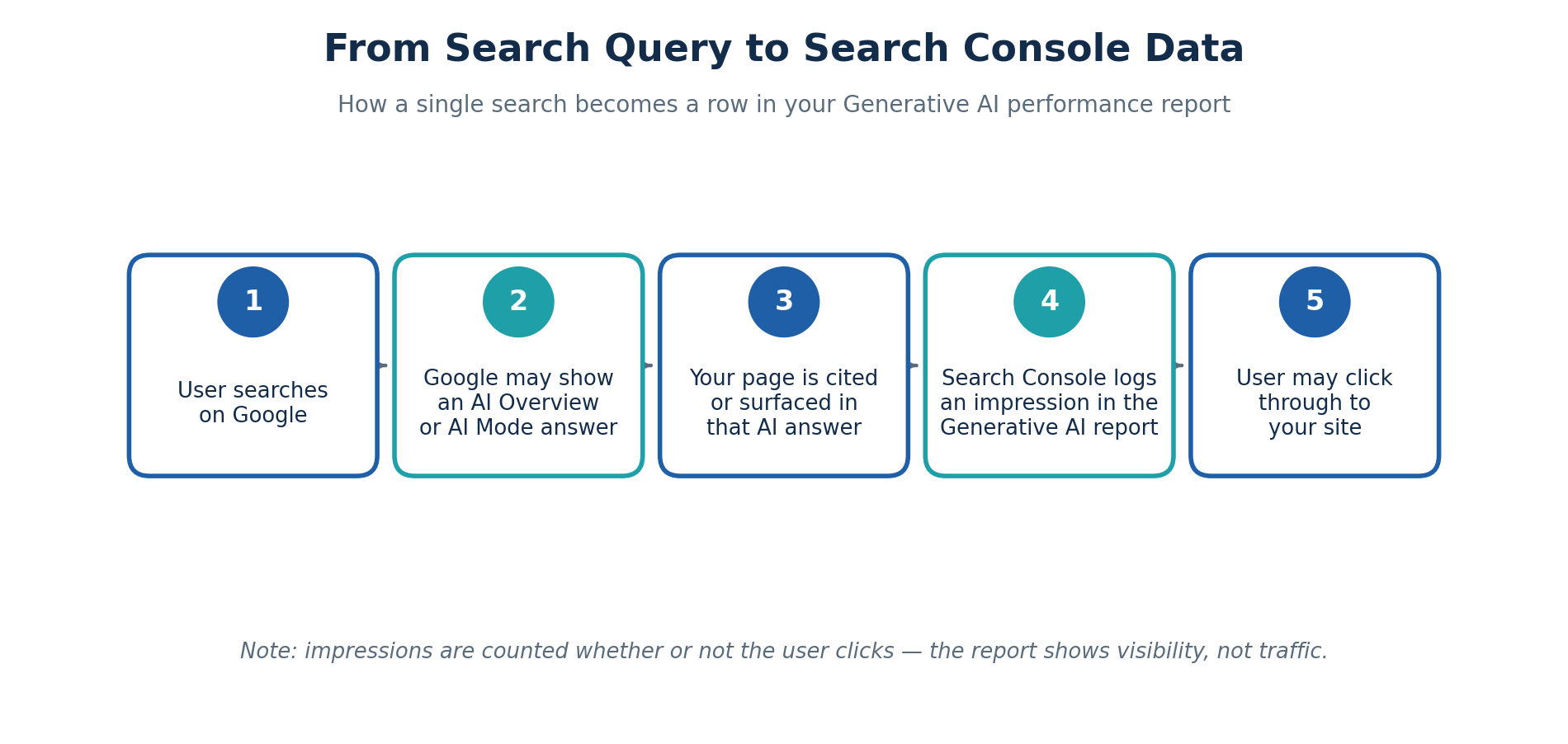
The Generative AI performance report is a dedicated section of Google Search Console's Performance reporting that shows how often pages from your site appeared inside AI Overviews and AI Mode on Google Search. It lives under Performance → Generative AI and currently reports on impressions only.
Google introduced the report in a June 3, 2026 post on the Search Central Blog, describing it as giving site owners "dedicated views of your impressions within generative AI features on Search." Before this report existed, any visibility your pages had inside an AI Overview was folded invisibly into your regular Search results numbers; you had no way to isolate it. This report separates that data out.
It's worth being precise about terminology here, because a lot of what's circulating online blurs two very different things. This report tracks Google's own AI features - AI Overviews and AI Mode, and a separate version for Discover. It does not, and cannot, show you anything about ChatGPT, Perplexity, Copilot, or Gemini app traffic. If a visitor arrives from one of those tools, that shows up as referral traffic in Google Analytics, not inside Search Console.
Why This Report Exists (and Why It Only Shows Impressions)
Google's stated goal for the report is visibility, not attribution. According to Search Console Help documentation, the report currently includes only impressions, how many times a link to your site was shown to a user inside a generative AI feature. There's no click data, no click-through rate, no average position, and there's no queries dimension either.
That's a meaningful gap, and it's worth sitting with rather than glossing over. Your regular Search results report answers "is this getting me traffic?" The Generative AI report, as it stands today, can only answer "am I being shown?" Those are different questions, and conflating them is probably the single most common misread of this data.
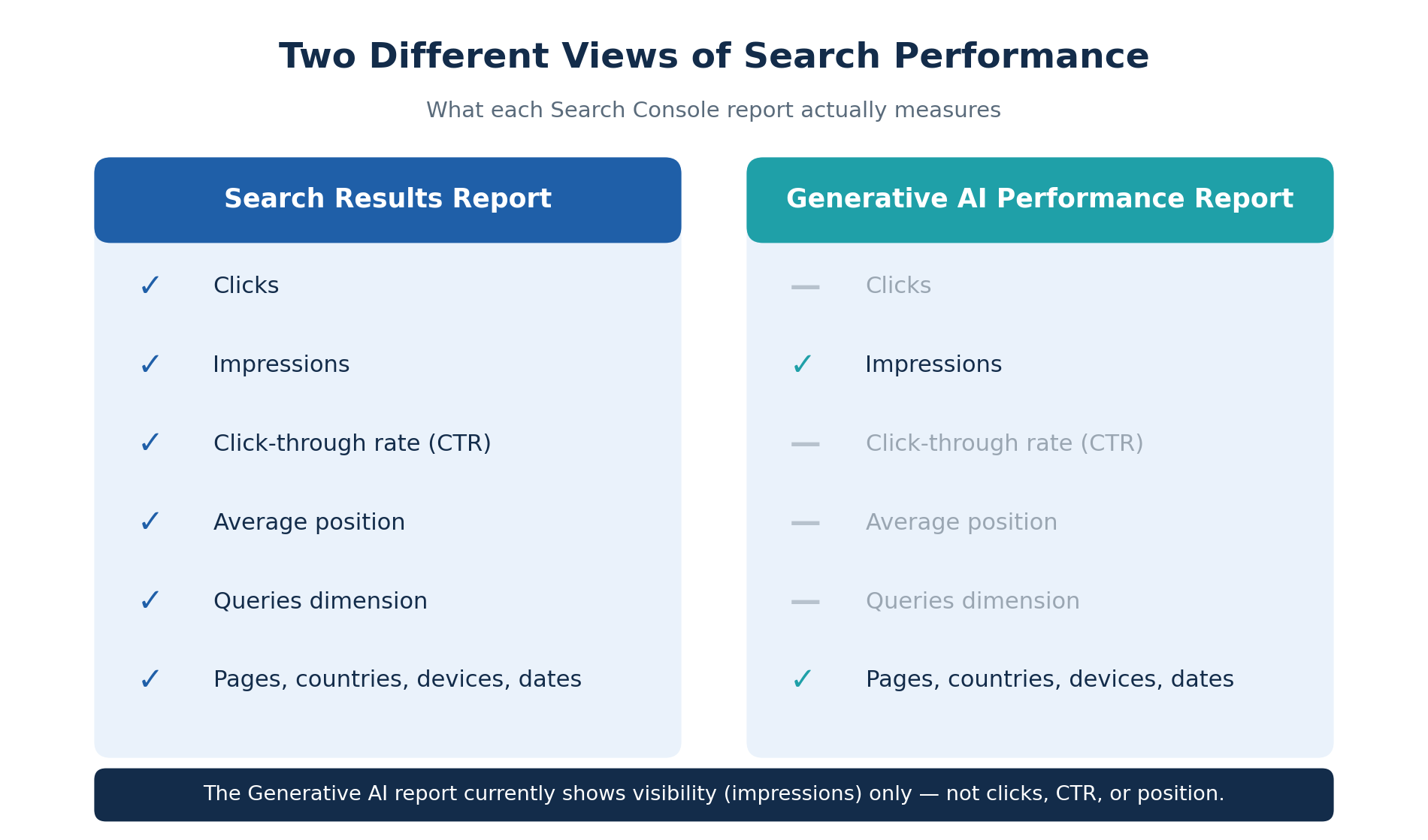
Google has said additional metrics may be added over time, but impressions are the entire picture for now. If you're used to judging a report by its clicks column, this one will feel incomplete, and in a real sense, it is, at least for the moment.
Who Should Actually Be Looking at This Report
This report earns a regular check-in for a few specific groups:
- Content and SEO teams who want an early read on whether their pages are being surfaced inside AI Overviews at all, before worrying about whether that surfacing converts.
- E-commerce and publisher sites with high-volume informational content, where AI Overviews tend to appear most often.
- Agencies reporting to clients who are asking "are we showing up in AI search"—a question that used to have no good answer inside Search Console.
- Anyone auditing which pages get cited, since the Pages dimension shows you exactly which URLs are earning AI visibility and which aren't.
If your site gets very little search volume in general, don't expect a rich data set here. The report needs a baseline level of impressions in AI features before it populates meaningfully, and Google notes that sites with low volume may simply not have "received enough impressions" yet.
How to Access the Generative AI Performance Report
Step-by-step walkthrough
- Sign in to Google Search Console and select the property you want to check.
- In the left-hand navigation, open Performance, then Search results.
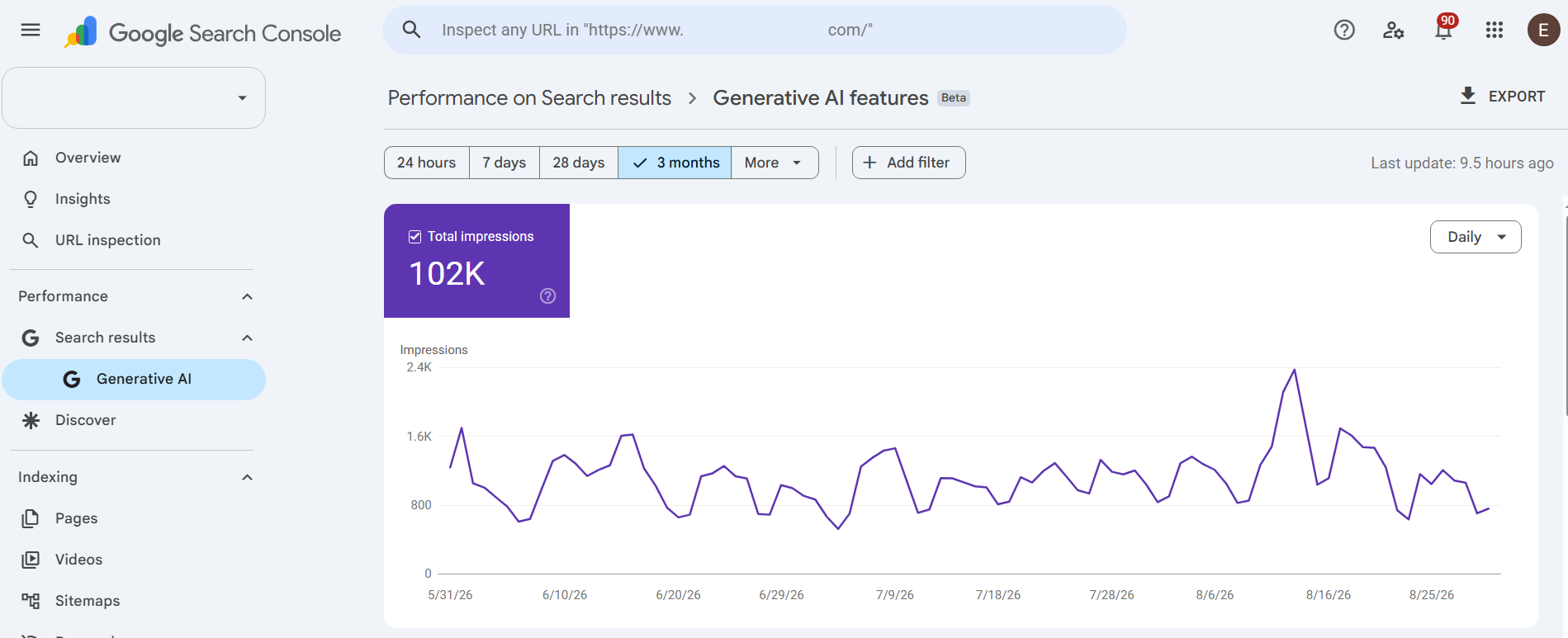
- Look for a second entry underneath it labeled Generative AI, marked Beta—this sits alongside your familiar Search results report, not inside it.
- Click into the report. You'll land on a Total Impressions summary card and a daily chart, matching the same layout style as the standard Performance report.
- Use the tab bar—Pages, Countries, Devices, Days—to change how the table below the chart is grouped.
- Adjust the date range picker (24 hours, 7 days, 28 days, 3 months, or a custom range under "More") to change the window you're viewing.
- Use the Export button in the top right if you want the chart and table data as a spreadsheet.
What to do if you don't see it yet
By Google's own August 31, 2026 update, the report has rolled out to every site worldwide, so a missing tab at this point usually means one of two things rather than an access restriction:
- Your property hasn't accumulated enough impressions inside AI features yet for Google to populate a report.
- You may have excluded your site from generative AI features (deliberately or through a robots/meta configuration), which also removes eligibility for this report.
If your property is verified, actively indexed, and you still see nothing after checking both of those, it's worth submitting feedback through the link inside the report rather than assuming something is broken on your end.
Understanding the Four Dimensions: Pages, Countries, Devices, Days
Each tab changes what the table underneath the chart groups by, and each has its own aggregation quirk worth knowing before you draw conclusions:
- Pages: Groups data by the final URL a generative AI feature linked to, after redirects, and rolls duplicate URLs up to their canonical version. This is the view to use if you want to know which specific pages are earning AI visibility.
- Countries: Groups by where the search originated. Useful for spotting whether your AI visibility skews toward markets you actually serve.
- Devices: Desktop, tablet, or mobile. Handy for confirming whether AI Overview exposure is happening where your audience actually searches.
- Days: The same date-based breakdown used throughout Search Console, in Pacific Time, with daily, weekly, or monthly granularity depending on your selected range.

One aggregation detail trips people up: the top-line chart total is aggregated by property, so two different pages from your site appearing in the same AI answer count as one impression in the chart. Switch to the Pages tab, though, and the numbers are aggregated by page instead, which is why the chart total and the sum of the page-level table won't always match exactly. That's expected behavior, not a bug.
What the Numbers Actually Mean (and What They Don't)
Impressions vs. clicks: the missing half of the picture
An impression here means a link to one of your pages was shown to a user inside an AI Overview or AI Mode response—whether or not that user ever scrolled to it, read it, or clicked it. A high impression count tells you Google's AI systems consider your content a good match for the underlying query. It does not tell you whether that visibility is producing visits, leads, or revenue.
This is the point worth repeating to anyone reporting these numbers upward: 102,000 impressions sounds impressive on a slide, but without a click number attached, you genuinely don't know if it moved the business. Treat the figure as a visibility signal you can act on, not a success metric you report as-is.
Reading the daily chart correctly
The newest data points on the chart are often shown as a dotted line, that's Google's way of flagging preliminary data that's still being finalized and may shift over the next few hours. Don't panic over a dip on the most recent day or two; wait for the line to solidify before treating a drop as real.
How AI Search Visibility Differs From Traditional Search Visibility
Traditional organic visibility is transactional: you rank, someone clicks, they land on your page. AI Overview visibility is closer to being cited inside someone else's summary. Your content gets synthesized into an answer that may fully satisfy the user before they ever see your name attached to it.
That has a real trade-off. Some of what would have been a "top of funnel" click in 2024 is now a zero-click answer in 2026. On the other hand, when a user does click through from an AI citation, they've effectively already been pre-qualified by the AI's summary, they're not casually browsing, they're following up on something specific. It's a smaller but often higher-intent slice of traffic.
This is also the point where SEO (ranking in the traditional results) and AEO (Answer Engine Optimization, or writing so that AI systems can accurately extract and cite your content) start to diverge as disciplines while still overlapping heavily in practice. Our post on content refresh strategies for Google's AI Overview goes deeper into what "AI-ready" content structure actually looks like if you want to act on what this report shows you.
A Practical Example: Interpreting a Real Report
Say a property shows roughly 102,000 total generative AI impressions over a rolling three-month window, with a visible spike around a two-day stretch mid-period. Here's a reasonable way to work through that, step by step:
- Check the Days tab first. Isolate the spike dates. Did you publish or update anything around then? A sudden jump often lines up with a specific page catching Google's AI systems' attention—intentionally or not.
- Switch to Pages. Identify which URLs are driving the bulk of impressions. It's common for one or two pages—often FAQ-style or comparison content—to account for a disproportionate share.
- Cross-reference against your regular Search results report for the same pages and date range. If clicks and impressions in the standard report also rose, the AI visibility is likely additive. If regular clicks stayed flat or fell while AI impressions rose, that page may be getting "answered" without earning the visit.
- Check Devices. A heavy mobile skew is expected—AI Mode and AI Overviews see disproportionate use on mobile—but it's worth confirming rather than assuming.
- Check Countries if you serve multiple markets, to make sure the visibility is happening where your actual customers are.
None of this requires guesswork or a third-party tool. It's a five-minute cross-check inside Search Console itself.
Spotting Opportunities in the Data
- Pages with strong impressions but weak regular-search clicks are candidates for a content refresh. They're clearly relevant enough for Google's AI to cite, so making the on-page answer clearer and more citable can help on both fronts.
- A cluster of similar high-impression pages (several FAQ or "how to" pages, for example) suggests a content format Google's AI systems favor for your niche. This is a pattern worth replicating deliberately rather than by accident.
- Consistent impressions on a page you didn't expect often reveals a question your audience is asking that your content answers better than you realized—useful input for future headlines and FAQ sections.
Spotting Problems in the Data
- Impressions that spike then vanish usually track back to a single AI Overview appearance for a trending query, not a durable ranking signal, and not something to build a content strategy around.
- Zero data despite strong regular-search performance may simply mean your content type doesn't lend itself to AI synthesis (deeply transactional or highly localized pages, for instance). That's not necessarily a problem to fix.
- A steep, sustained decline after a period of visibility is worth investigating against your content's freshness and structure, since Google's AI systems do favor current, clearly sourced information over stale pages.
What to Do With This Data (Action Framework)
- Don't restructure your entire content strategy around impressions alone. Use this report as one input alongside your regular Search results report and your analytics data, not a replacement for either.
- Prioritize pages that already show AI impressions for structural improvements clear, direct answers near the top, descriptive subheadings, and supporting data presented in scannable form.
- Add or tighten FAQ sections on pages already earning impressions; question-and-answer formatting tends to be exactly what AI Overviews pull from. Our piece on how FAQs help pages get featured in AI search covers the formatting details.
- Revisit pages with zero AI impressions but strong topical relevance. They may simply need clearer structure, not more content.
- Keep watching the report monthly, not daily. Given how much of the recent data is preliminary and how volatile day-to-day AI Overview inclusion can be, a monthly review is more useful than obsessive daily tracking.
Common Mistakes Businesses Make With This Report
- Treating impressions as a traffic metric. It isn't one. Report it internally as a visibility indicator, and pair it with actual click and conversion data from other reports before making decisions.
- Assuming a missing report means something is broken. As covered above, it more often means the property hasn't crossed the impression threshold yet.
- Confusing this report with AI chatbot traffic tracking. Search Console has no visibility into ChatGPT, Claude, Gemini, or Copilot usage of your content, this is a Google-specific tool, full stop.
- Chasing every spike Not every jump in AI impressions represents a durable shift; some are simply Google's AI systems responding to a temporarily trending query.
- Ignoring the report entirely because it "only shows impressions. "Even a partial picture of AI visibility is more than most site owners had access to before June 2026, it's still useful, just incomplete.
SEO and AEO Implications Going Forward
This report is best understood as an early, deliberately limited instrument. Google has signaled more metrics may come later, and the report's own rollout, restricted UK beta in June, gradual regional expansion, full worldwide availability by the end of August, suggests Google itself is still cautious about the data's completeness.
In the meantime, the practical implication for SEO and content teams is that "ranking" and "being cited" are becoming two separate things worth tracking separately, even while much of the underlying optimization work clear structure, accurate information, genuine topical depth - serves both goals at once. If your team is weighing how much of your content calendar should shift toward this kind of AI-citable structure, it's worth reading up on why AI-generated content alone tends to underperform in this environment, since generic, undifferentiated writing is exactly what AI Overviews tend to skip over in favor of a more specific, better-sourced page.
Frequently Asked Questions
-
What is the new GSC Generative AI report?
It's a dedicated Search Console report, found under Performance → Generative AI, that shows impression data for how often your pages appeared inside AI Overviews and AI Mode on Google Search.
- How do I access the report in Google Search Console?
- What does the GSC AI report show?
- Does AI traffic appear in Google Search Console?
- Can GSC show traffic from Google AI Overviews?
- How should I interpret AI search impressions?
- Does appearing in AI search results improve SEO?
- How can I optimize my website for AI search?
- What is the difference between SEO and AEO?
- Can AI search traffic be tracked?
- Why are my AI search impressions increasing but clicks not increasing?
- Does Google Search Console show ChatGPT traffic?
Final Thoughts
The Generative AI performance report won't answer every question you have about how AI search is affecting your business, and it isn't designed to. What it does give you, for the first time, is a direct line of sight into whether Google's AI systems consider your pages worth citing at all, separated cleanly from your regular search performance instead of buried inside it.
Read it as a visibility check, cross-reference it against your regular Search results data, and use it to prioritize which pages deserve a structural refresh. That's a modest ask of a Beta report, but it's a genuinely useful one.
If you'd rather have a team handle the ongoing work of interpreting this data and turning it into content updates, Content Development Pros' Expert SEO Services team works directly with Search Console data, including this new report, to prioritize which pages to refresh first. And if AI visibility is just one piece of a broader search and content strategy you're trying to pull together, our Digital Marketing Agency team can help connect it to the rest of your marketing.
Contact CDP Today!
Ready to talk to one of our web copy experts?


By: Adam Meyers
Adam Meyers is a content and business strategist at Content Development Pros, where he works with businesses to develop clear, engaging, and purposeful content that connects with their audiences. His work spans business, technology, digital marketing, branding, and emerging industry trends.


